




Professional
Running work in parallel
-
Last updated: November 5, 2026
-
Read time: 2 Minutes
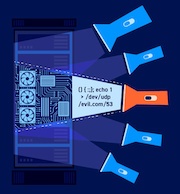
Burp AT can investigate different parts of a target at the same time. It can split the investigation using delegated workers or sub-tasks:
Delegated workers are additional AI agents that handle parts of the investigation within your task. Burp AT coordinates their work and combines their results in the task's conversation.
Sub-tasks handle parts of the investigation in separate conversations. You can open each conversation to review results or send follow-up prompts.
Delegated workers
Burp AT coordinates delegated workers within your task and combines their results.
Enabling delegated workers
In Manual or Smart mode, Burp AT asks Use delegated workers for this task? the first time it proposes using workers in each task. Click Approve to let Burp AT use workers for the task. Click Reject to continue without workers.
In Autonomous mode, Burp AT can use workers without asking you to approve parallel work.
Approving workers does not automatically approve their tool calls. The autonomy mode and tool permissions you set also apply to workers. Burp AT asks for any tool approvals needed by workers.
More information
Reviewing results and stopping work
Workers return their results to the task so Burp AT can use them in its investigation. You do not need to open a separate conversation for each worker.
Burp AT can delegate parts of a goal loop to workers. Burp AT waits for workers to finish any work needed to achieve the goal before marking it as complete. Workers may continue running after you clear or replace a goal. Click Stop to cancel them.
More information
Sub-tasks
Burp AT can ask for permission to create sub-tasks as it works. These separate processes work on different parts of the task at the same time. Each sub-task has its own conversation window, enabling you to see results and direct the sub-task if required.
Sub-tasks do not communicate with each other directly, but each can see the contents of the current Burp project.
Burp AT lists sub-tasks in the Tasks panel. When you select a task, Burp AT displays any related sub-tasks in a drop-down menu. It also shows them in the Sub-tasks list on the main task conversation. Each sub-task shows a name and status indicating whether it needs human intervention, for example to approve a tool call or resolve an error.
A sub-task's status can also appear on its parent task's row in the Tasks panel. The sub-task summary in the main task conversation shows counts for sub-tasks waiting for input, running, and done. It shows a separate count for sub-tasks that ended in an error and counts stopped sub-tasks as done.
When created, sub-tasks inherit the effort level of their parent task. You can change the sub-task's level independently in the sub-task message box.
Burp AT cannot create separate sub-task conversations while a goal is active.